Install mods from the settings
Phigros++ 0.1.0-beta.14
The settings have a Mods tab: the mods players published, each with what it shows and what it does, installed and updated with one tap.
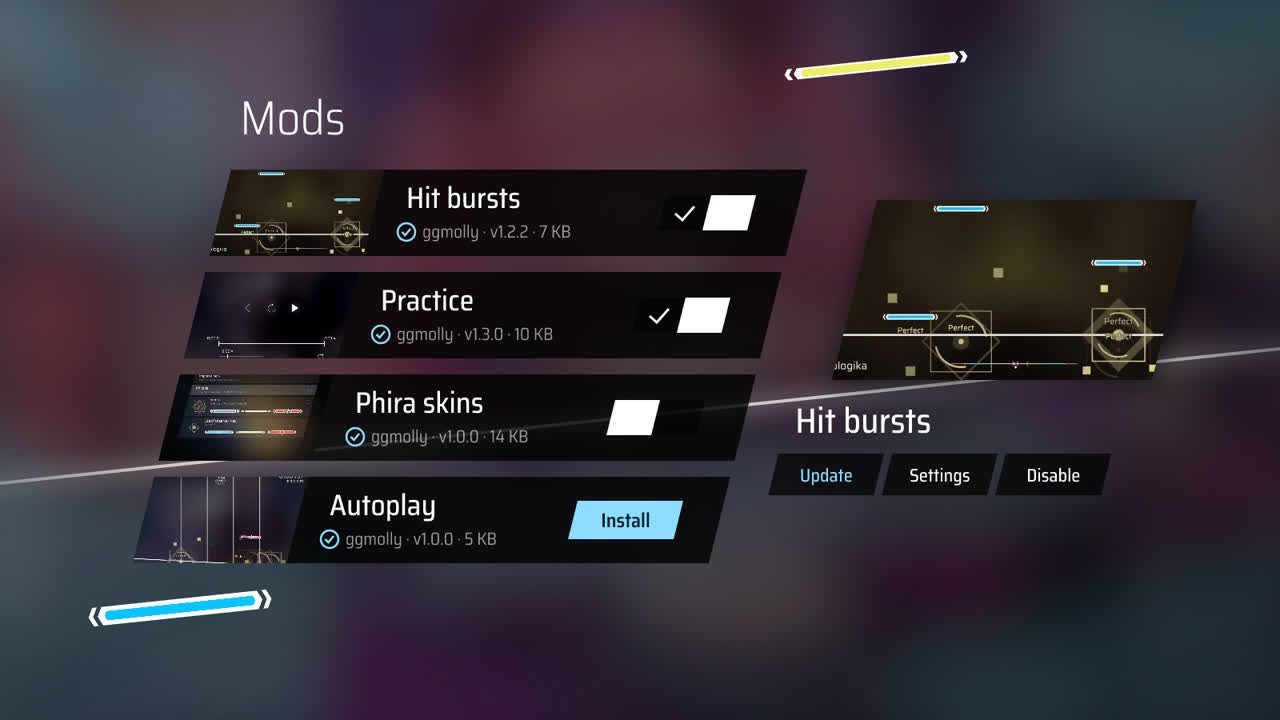
The catalog
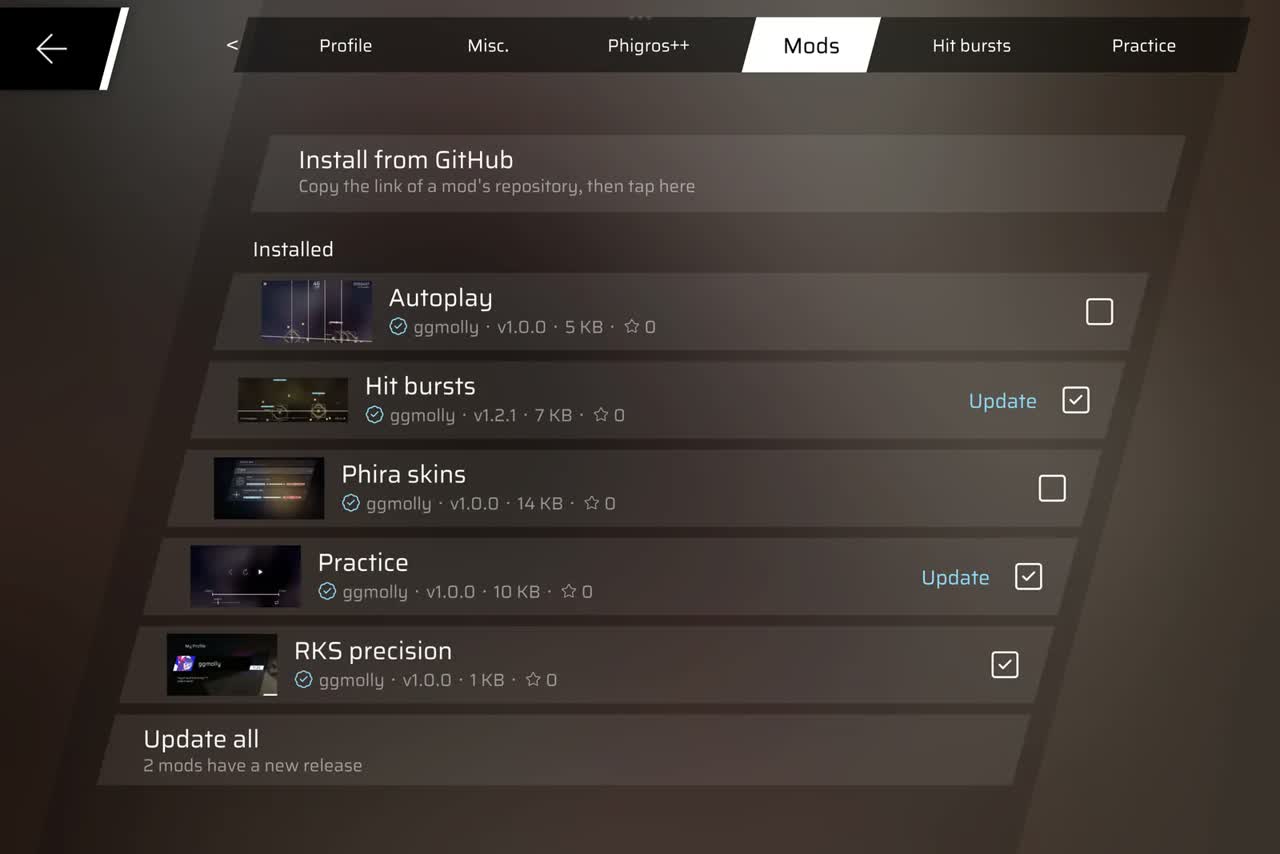
Every mod of the catalog is listed with its author, version and size.
A switch turns an installed mod on or off, and Update all brings the new releases in.
Install from GitHub installs any other mod from the link of its repository, behind a warning.
A page for each mod
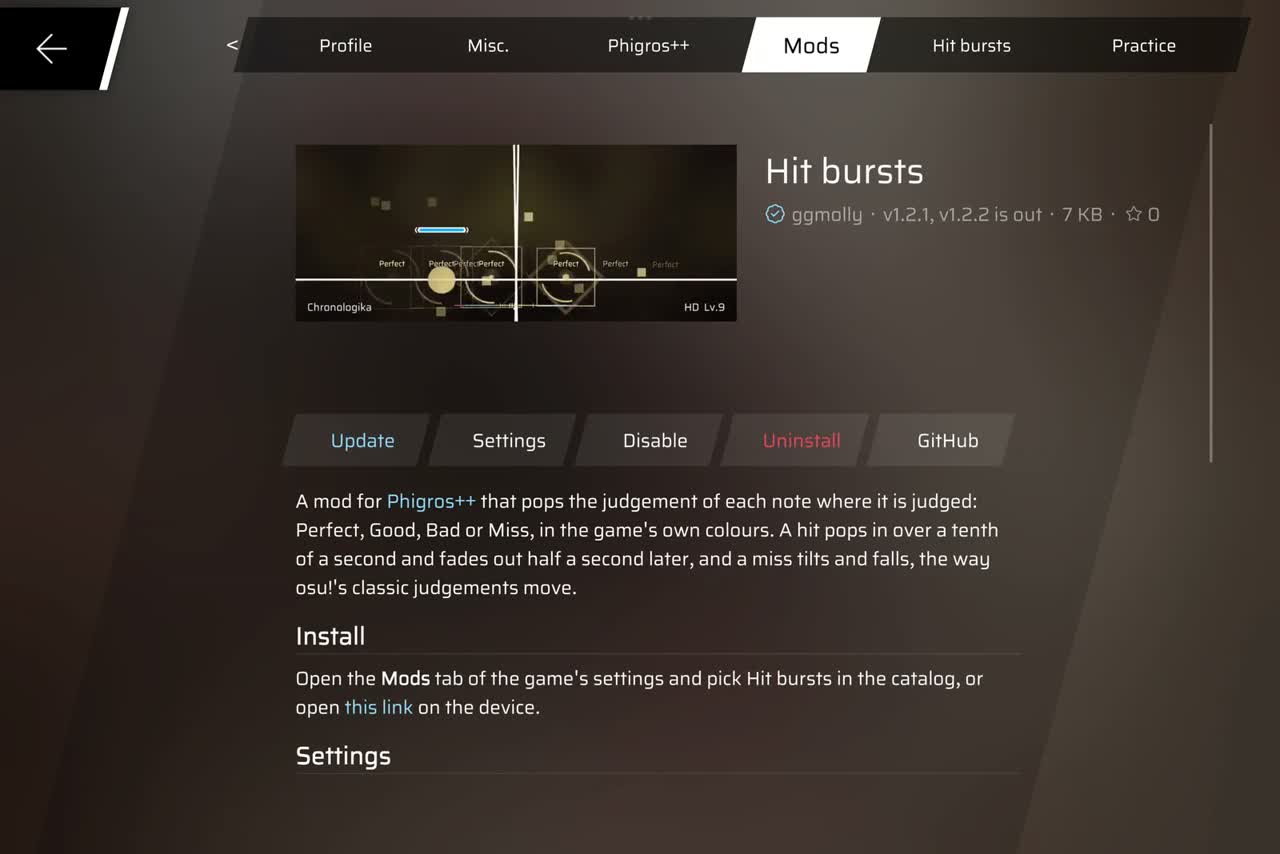
A mod's page shows its clip and its README, with links you can tap.
Each release is signed by its author, and the game checks the signature before installing it.
A mod with settings gets a tab of its own next to the game's.
Writing one takes a few lines of Lua: the wiki says how.